
Know what works on YouTube – before you produce the next video.
TubeMakers watches the channels in your niche, spots videos that are running far above average right now, and turns those patterns into concrete drafts for your next topics, titles, thumbnails and scripts. What gets published is your decision – video by video.
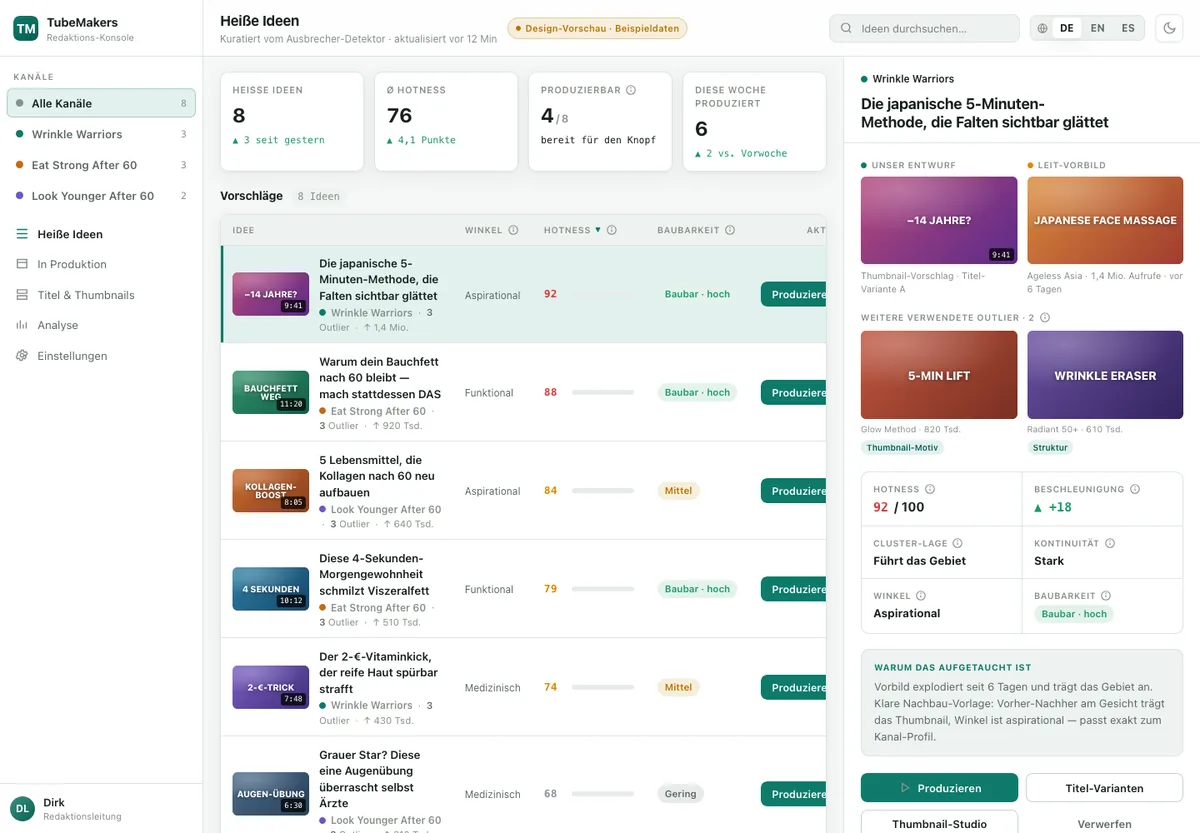
The problem TubeMakers solves
Gut feeling is expensive
A video costs days of research, editing and voice work. Whether the topic carries often only shows after publication. TubeMakers gives you the data before.
Research eats time
Keeping dozens of channels in view, spotting outliers, comparing patterns – by hand that is a full-time job. TubeMakers does it daily and reports what stands out.
Title and thumbnail decide
The best content stays invisible if nobody clicks. TubeMakers derives title and thumbnail variants from proven success patterns in your niche, ready for you to compare.
How TubeMakers works
-
1
Observe
You define which channels and topics belong to your niche. TubeMakers fetches the public metrics of new videos daily and detects outliers.
-
2
Understand
Outliers become patterns: topics, title forms, visual ideas, narrative structures. Plus your own channel analytics – separated from everyone else’s.
-
3
Plan
Concrete video ideas with title variants, thumbnail concepts, outline and script draft. Everything stays a draft until you edit it.
-
4
Publish
You review the finished video, take over title, description and thumbnail and upload it yourself in YouTube Studio. TubeMakers has no write access to your channel.
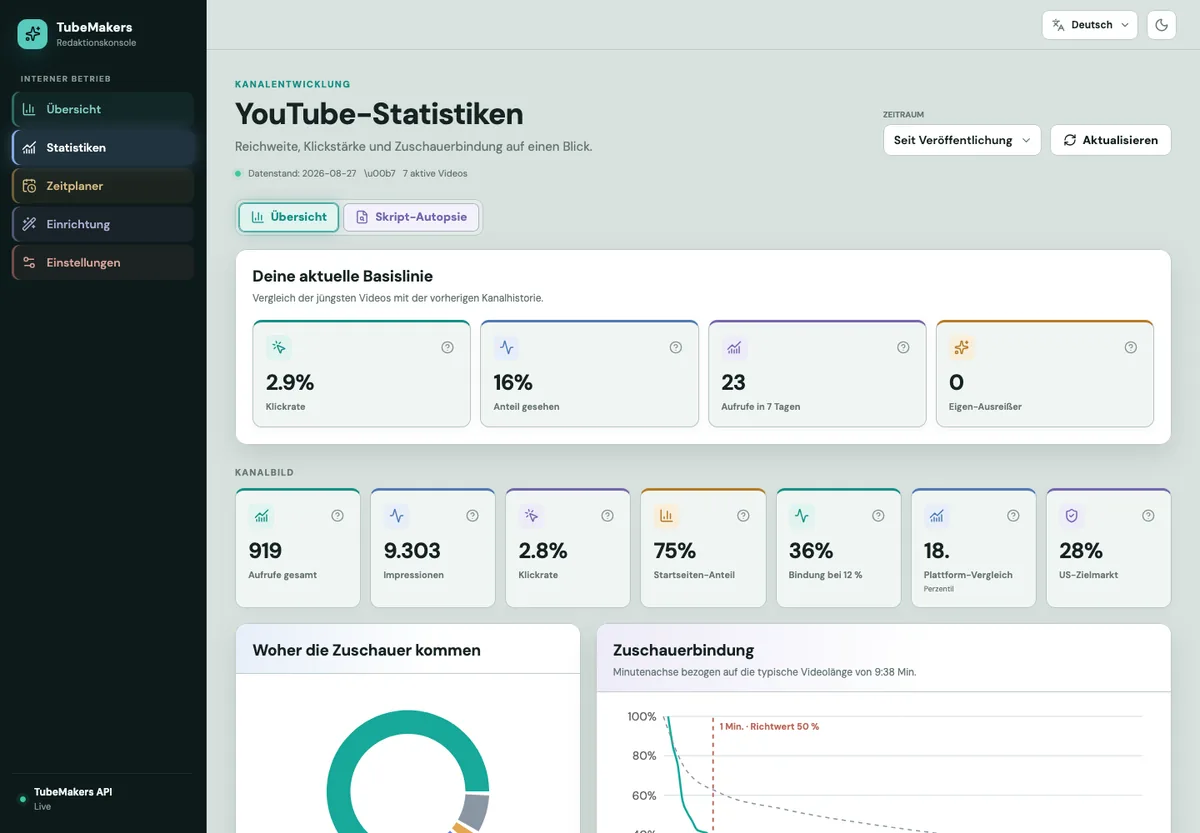
Reach, click strength and audience retention at a glance
After the voluntary Google connection, TubeMakers shows your own channel’s statistics: click-through rate, impressions, traffic sources and the retention curve – compared with your own baseline, so you can see whether the last video did better or worse than usual.
- Baseline from your previous channel history
- Minute-by-minute retention with a reference value for the first minute
- Visible only to you and the team members you authorise
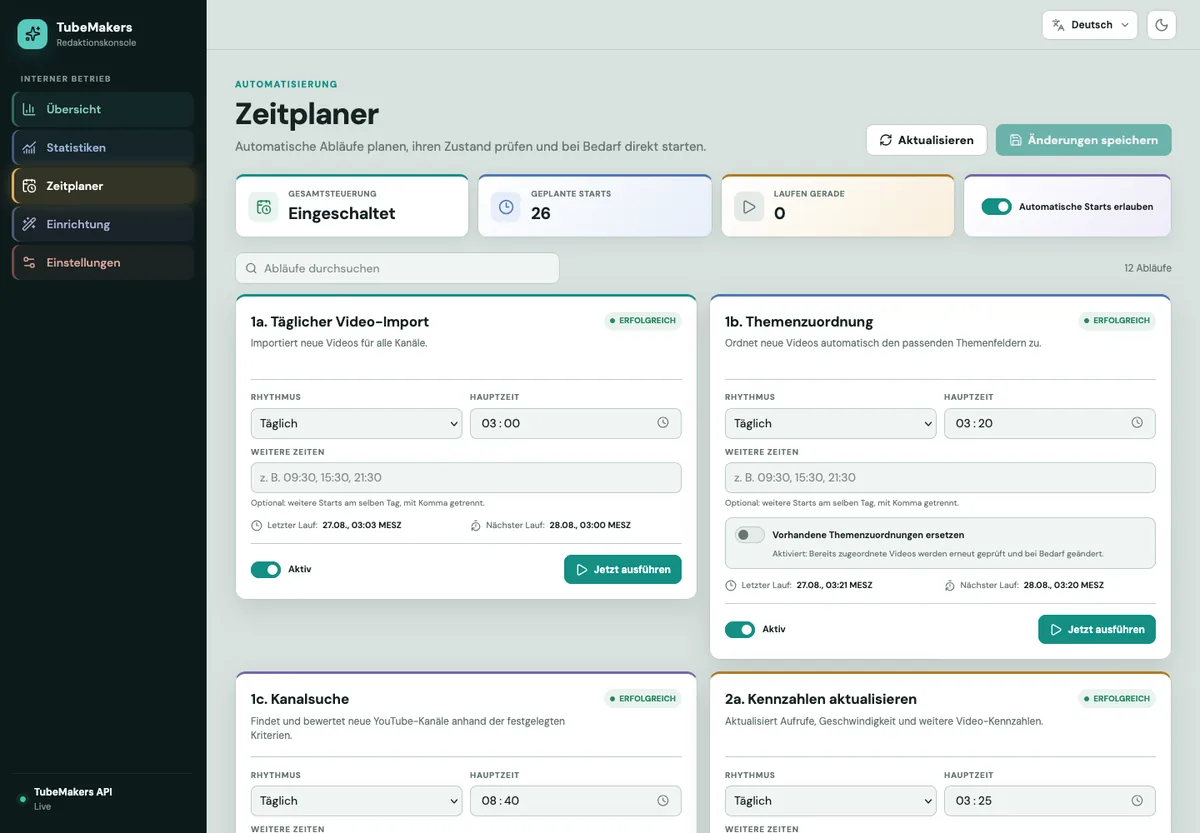
Twelve workflows, one scheduler – and a switch that stops everything
Import, topic assignment, channel search, metrics, analytics, idea detector: every workflow has its rhythm, its main time and its last run in view. You can start, pause or reschedule each workflow individually – and allow or block automatic starts globally with one click.
- Daily refresh of public metrics
- Every run logged with time and result
- No actions on your YouTube channel – TubeMakers only reads
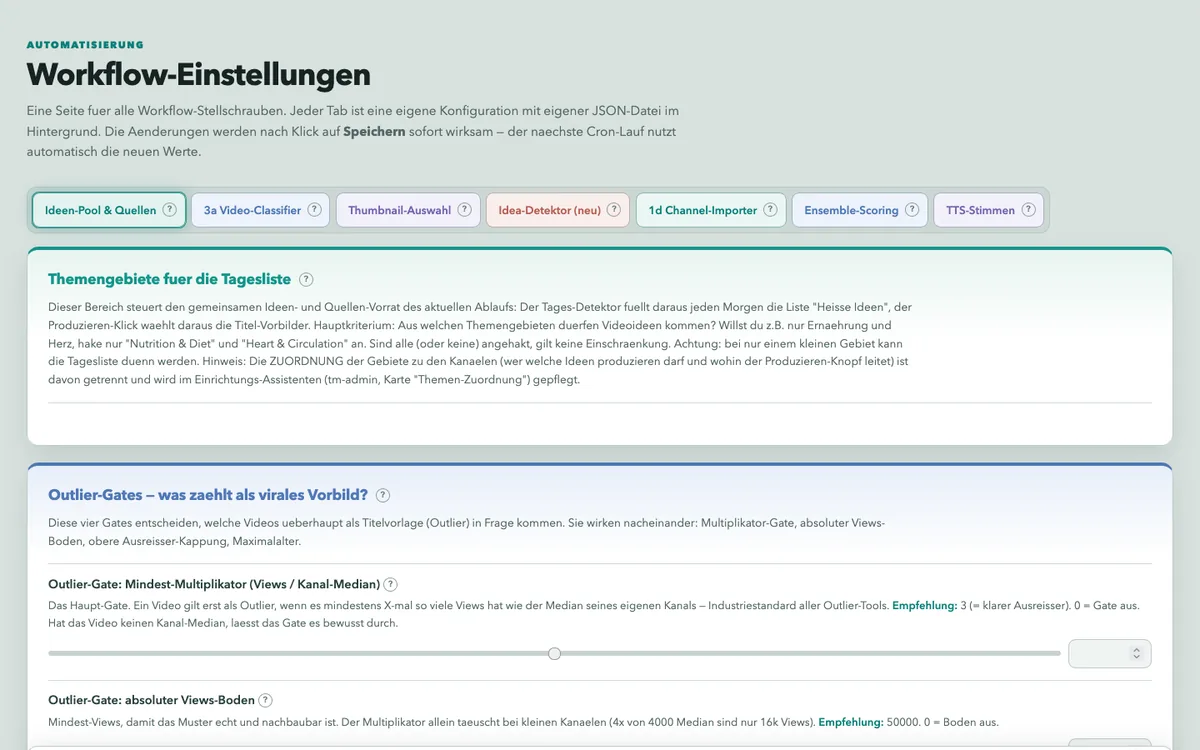
You decide what counts as a reference
Which videos count as outliers? From what multiple of the channel median, from how many views, up to what age? These rules are not hidden constants but settings with explanation and recommendation – for every workflow, adjustable at any time, effective immediately.
- Topic areas, outlier thresholds, thumbnail selection
- Every setting with a plain-language explanation and default
- Changes apply on the next run
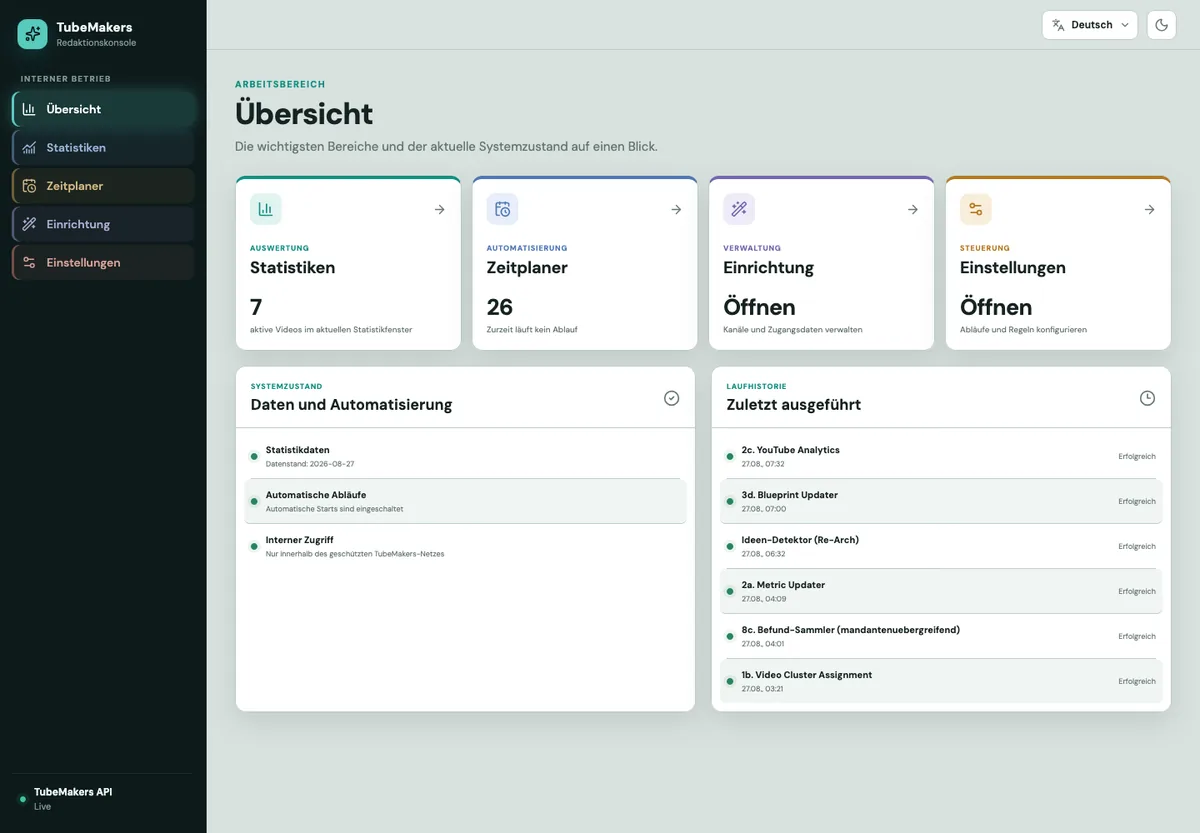
Overview of data, workflows and system status
The overview shows what is running right now, when data was last refreshed and which workflows completed successfully. From here you reach analytics, scheduler, setup and settings – in your language, light or dark.
More features
Niche radar
Watched channels and videos with daily refreshed public metrics: views per hour, ratio to subscribers, development over time – all labelled as TubeMakers analysis.
Outlier detection
Every new video is compared with its channel’s normal level. Whatever lies clearly above it appears in your overview with topic, title and thumbnail.
Title and thumbnail workshop
Title variants and thumbnail concepts from proven patterns, each with a rationale.
Script and production support
Outline, script draft, narration text and suggestions for visuals – you edit.
Publishing kit
Description with chapter markers and tags are ready as drafts to copy – you upload and publish yourself in YouTube Studio.
Who is TubeMakers for?
Solo creators
You do everything yourself and want to spend scarce time on the videos that have a real chance.
Small teams
Editorial, editing and channel management work in one shared workspace with clear roles.
Multiple channels
Each channel has its own separated workspace. Data of different channel owners is never mixed.
TubeMakers is intended exclusively for business users: professional creators, agencies and the team members they explicitly authorise.
Your data, your control
Purpose-bound permissions
YouTube analytics requests read-only permissions. Optional setup of your own Google Cloud project appears on its separate Google consent screen as TubeMakers Cloud Setup and is a one-time step.
Separated per channel owner
Private channel data is visible only to the owner and their authorised team. Never a joint analysis of other people’s channels.
Separately revocable
YouTube and Google TTS can be disconnected independently. YouTube data is deleted within seven calendar days; revoking Google TTS blocks new speech calls immediately.
TubeMakers is in a closed pilot phase
The application is being opened to pilot customers step by step; there is no public sign-up yet. Drop us a short note about the channel you run and your niche – we will get back to you as soon as a seat is available.
Frequently asked questions
Is TubeMakers a tool that churns out videos on a conveyor belt?
No. TubeMakers provides data and drafts; you review and rework every video yourself and upload it yourself on YouTube. Mass-produced, repetitive content violates YouTube’s policies and harms your channel – TubeMakers is neither intended nor built for that.
Does TubeMakers need my Google password?
Never. Google sign-in, the YouTube connection and optional setup of your Google Cloud project use separate Google consent screens. You see each permission before granting it and can revoke connections in TubeMakers or in your Google security settings.
Which permissions does TubeMakers request?
For YouTube analytics, read-only access to channel information and channel statistics only. Only if you select Google TTS does a separate, one-time Cloud setup request access to your specified Google Cloud project in order to configure the project, billing, Text-to-Speech and the limited technical connection. This access is not stored permanently. Details on the Security & control page.
What happens to my data if I stop?
You can revoke YouTube and Google TTS separately. YouTube access and authorised YouTube data are removed within seven calendar days; revoking Google TTS immediately blocks new speech calls. Your Google Cloud project remains under your control. The complete procedure is described on Delete your data.
What does TubeMakers cost?
During the pilot phase we agree terms individually with each pilot customer. Public pricing follows with general availability.
Can I manage several channels?
Yes. Each channel gets its own separated workspace. You may only connect channels you own or are expressly authorised to manage.
Note: TubeMakers uses YouTube API Services. By using the YouTube features you also agree to the YouTube Terms of Service. How TubeMakers handles YouTube data is described in our Privacy Policy; the Google Privacy Policy applies in addition.